 Northern Commander

Two panes. One lifestyle. Zero compromise.
A fast, keyboard-first file manager for the Mac, in the text-mode tradition — with photos, films, the mouse and the rest of the Mac all still there.
Free for everyone, and it stays that way. No account, no email. Homebrew too.
What's new
Look, copy, edit, run — all from two panes, on a screen that answers before you let go.
Mark files, copy them across, open a photo, edit a file, drop into the shell — all without leaving the keyboard, or waiting for it.
Real jobs, start to finish
Each recipe takes one job and does it from start to finish, with the keys for every step. Every recipe

Collections
Picks while you look
Look through several shoots one picture at a time, put each keeper on a collection with ⌘B, and copy every pick to the client's folder at once.
The recipe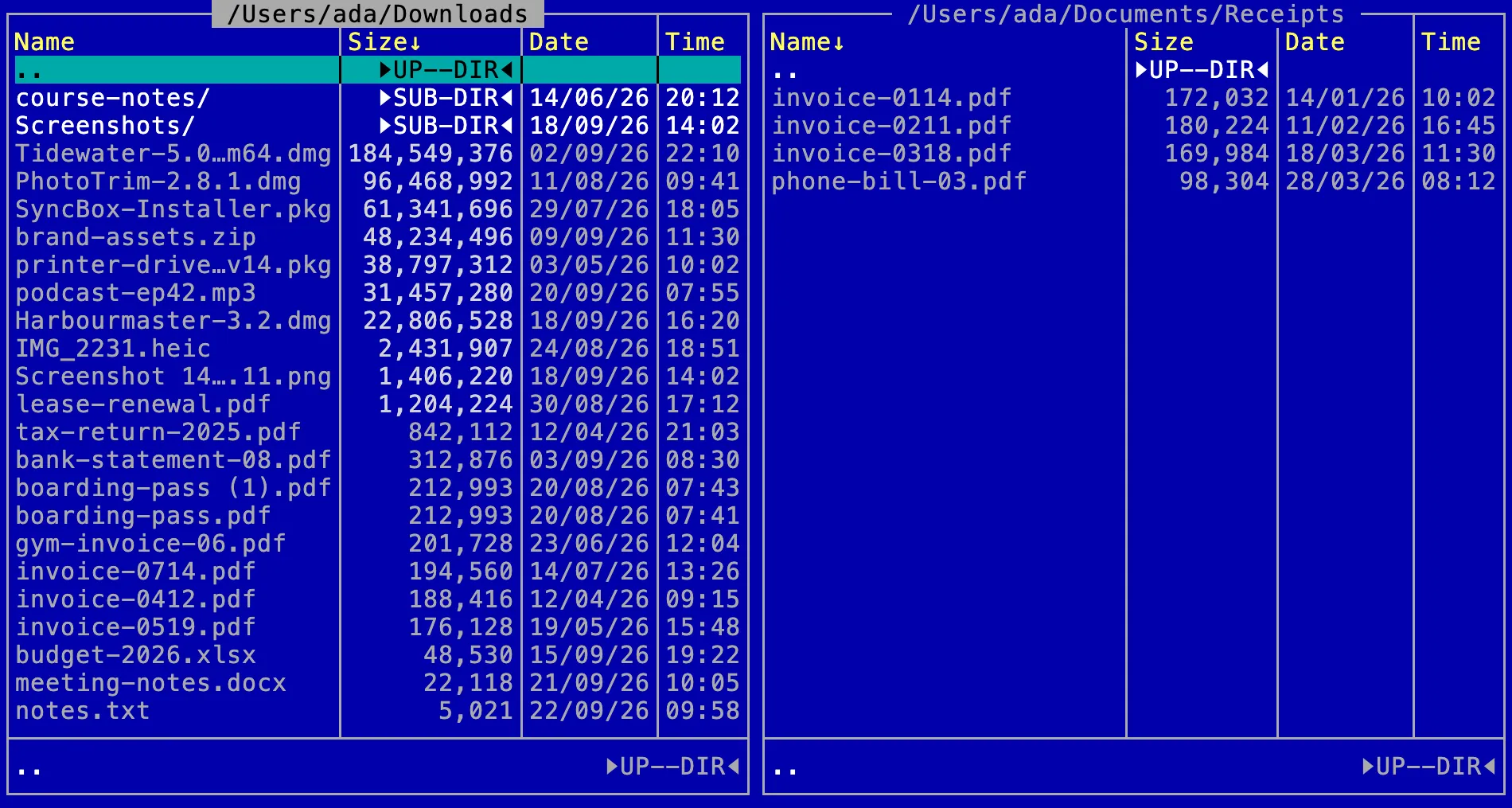
Tidy your Downloads
The installers in the Trash, the invoices filed, and a check of what you did.
The recipe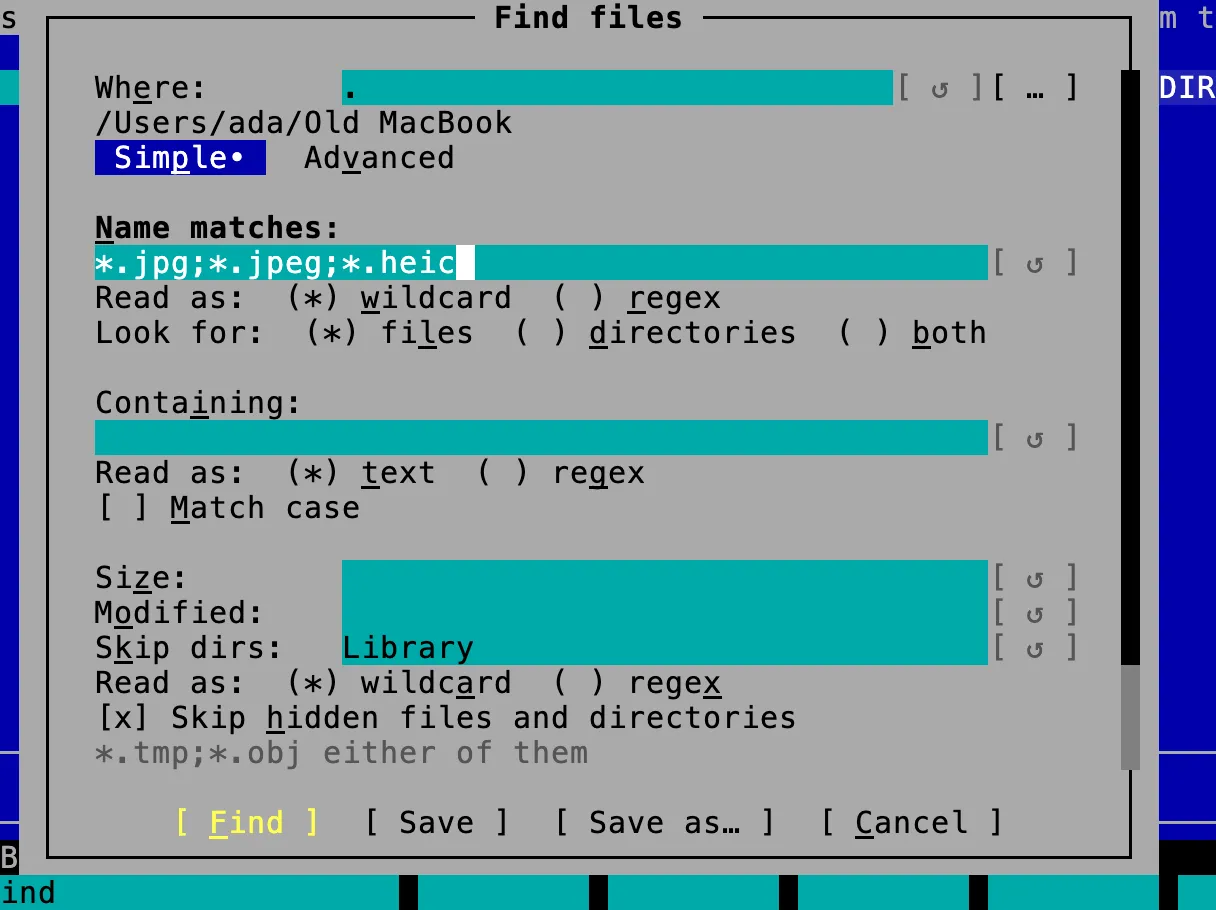
Gather files from a folder tree
Every photo out of an old laptop's folders, into one folder or copied with the folders they were in.
The recipe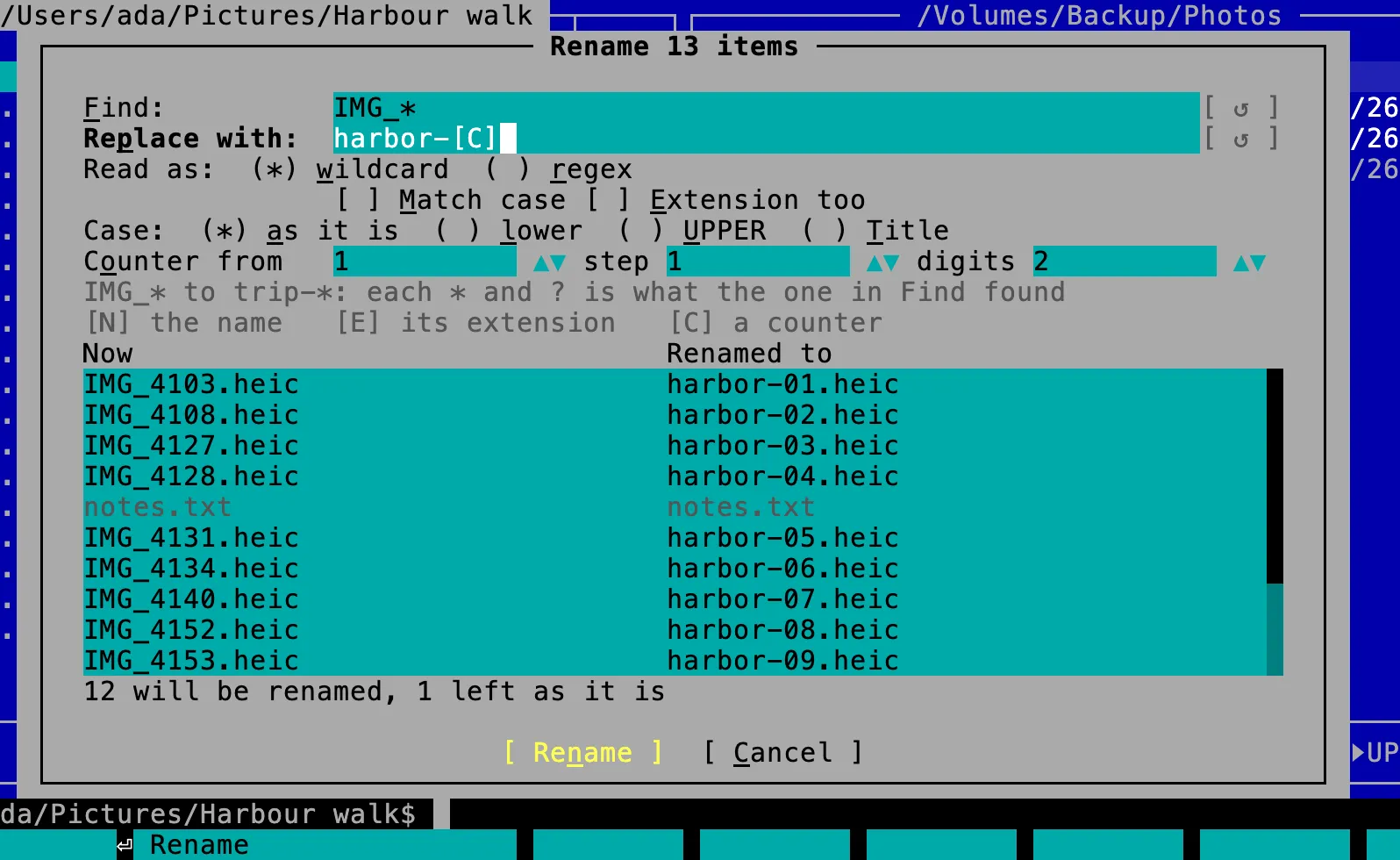
harbor-[C]
Rename a shoot's photos
One name and a number each, in the order they were taken, with every new name shown first.
The recipe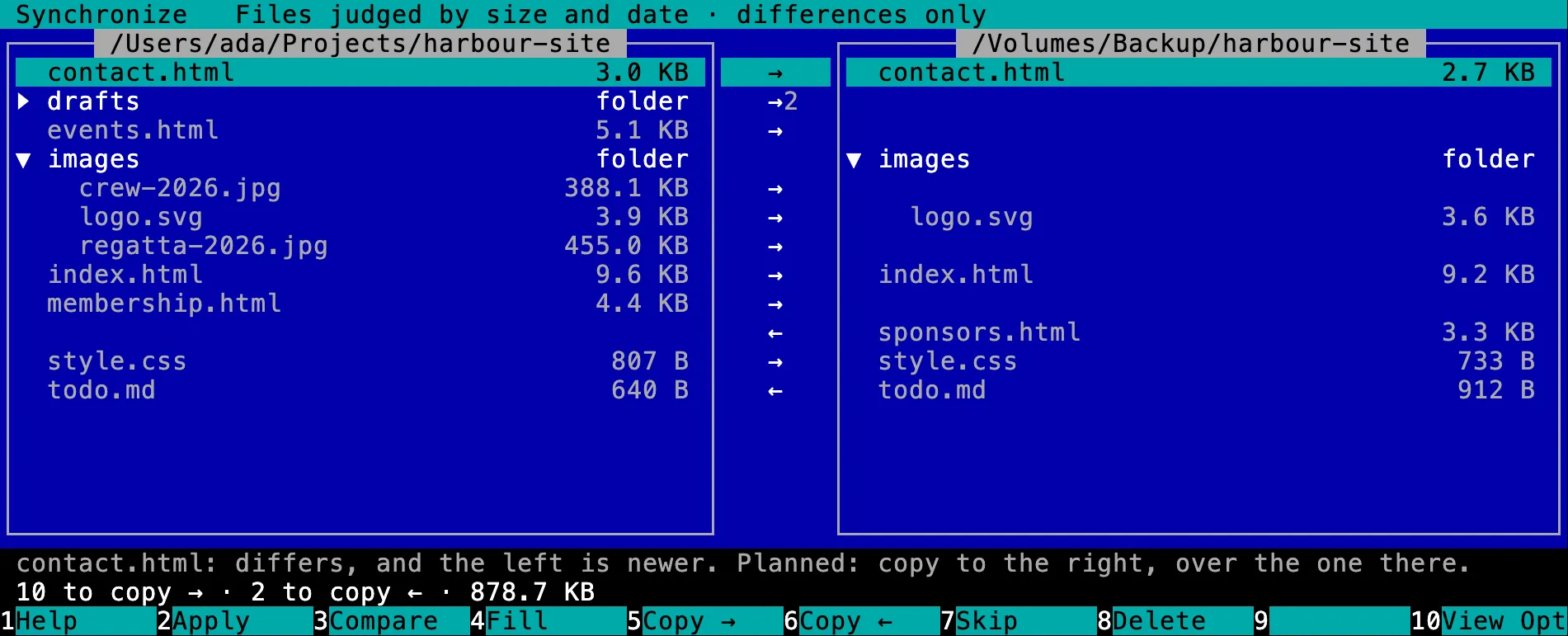
Bring two folders in line
A backup made to match the folder it backs up, every copy and delete seen first.
The recipe
Which one are you?
Your hands never leave the keys.
Every verb has a function key, named along the bottom. Mark with Space, press F5, and it lands in the other pane — no path to type, no window to aim at.
Hands on the keysWhy switch?
 FastFast: never waitsEvery slow thing happens off to the side, so the panes answer the moment you press a key.
 DeepPower tools built inSearch, patterns, checksums, an uninstaller, your own commands and a journal — in the box, not in a pile of utilities.
 Nothing given upGives up nothingA text-mode screen, with photos, video, PDFs, the mouse and the rest of the Mac all still there.
Small delights
- Clean up disk spaceDisk full? Clean up disk space puts a measured tree beside a pane sorted largest first, so the heavy folder is two arrows away — and you can delete it right there.
- ⇧F2Rename a whole shoot at once: IMG_* to harbor-[C] numbers them 01, 02, 03 — and every new name is listed beside the old one before anything changes.
- ⌃QOne key turns the other pane into a preview of whatever the cursor is on. Flip down a folder of photos and each one is shown as you reach it.
- ⇧⌘JThe journal lists every change made to the disk since the application started, and says which could still be undone.
- ⌃VCopied a table or some JSON? One key opens the clipboard in the editor as a table or a tree — change it and put it back, without it ever touching the disk.
- Type the start of a name in a pane, then press ⌘= to mark every file the quick search found.
$0, for good.
Every feature and every update, at home and at work. No account, no email, no trial, no tiers.
More from Outonomy
Two panes are a download away.
Version 1.2.0 · universal · macOS 13 or later · about 70 MB
brew install --cask outonomy/tap/northern-commander