 Northern Commander
Power tools built in
Search, patterns, checksums, an uninstaller, your own commands and a journal — in the box, not in a pile of utilities.
The jobs you'd reach for another tool to do are already here.
Find, grep, shasum and a folder of little scripts — each one key from the panes, working on the files in front of you.
Find, then work on what you found
A search is the start of the job, not the end of it.
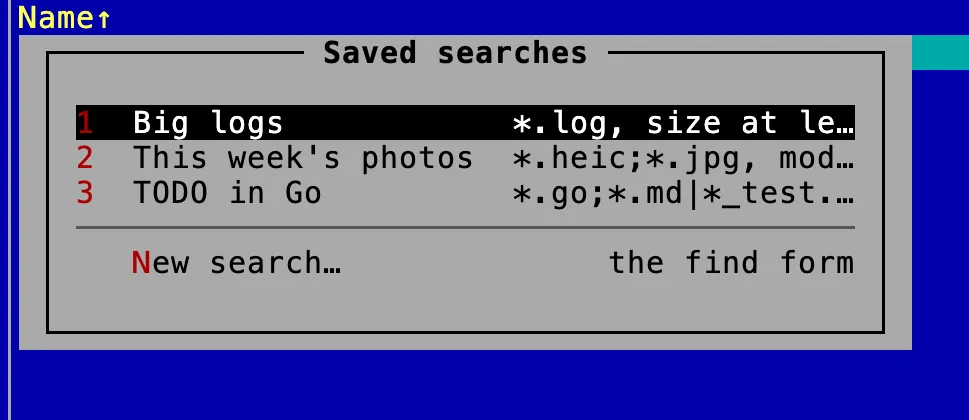
Keep the question
A saved search keeps what you asked, not what it found, so running it again finds whatever answers it now.
Checksums, compared for you
⌘I works out every checksum in one read. Paste the one a download was published with, and it says whether they match — no hundred and twenty-eight characters to compare by eye.
No second window
What's running, in the other pane
Every process as a row: how busy it is, the memory it takes, whose it is. Go inside one for the files it has open and the ports it listens on, jump to its executable in the other pane, and quit it with F8 — the same key that deletes a file.
Your Mac, in a pane
The parts of the system you'd open a utility for, listed like files and changed with the same keys.
Launch agents
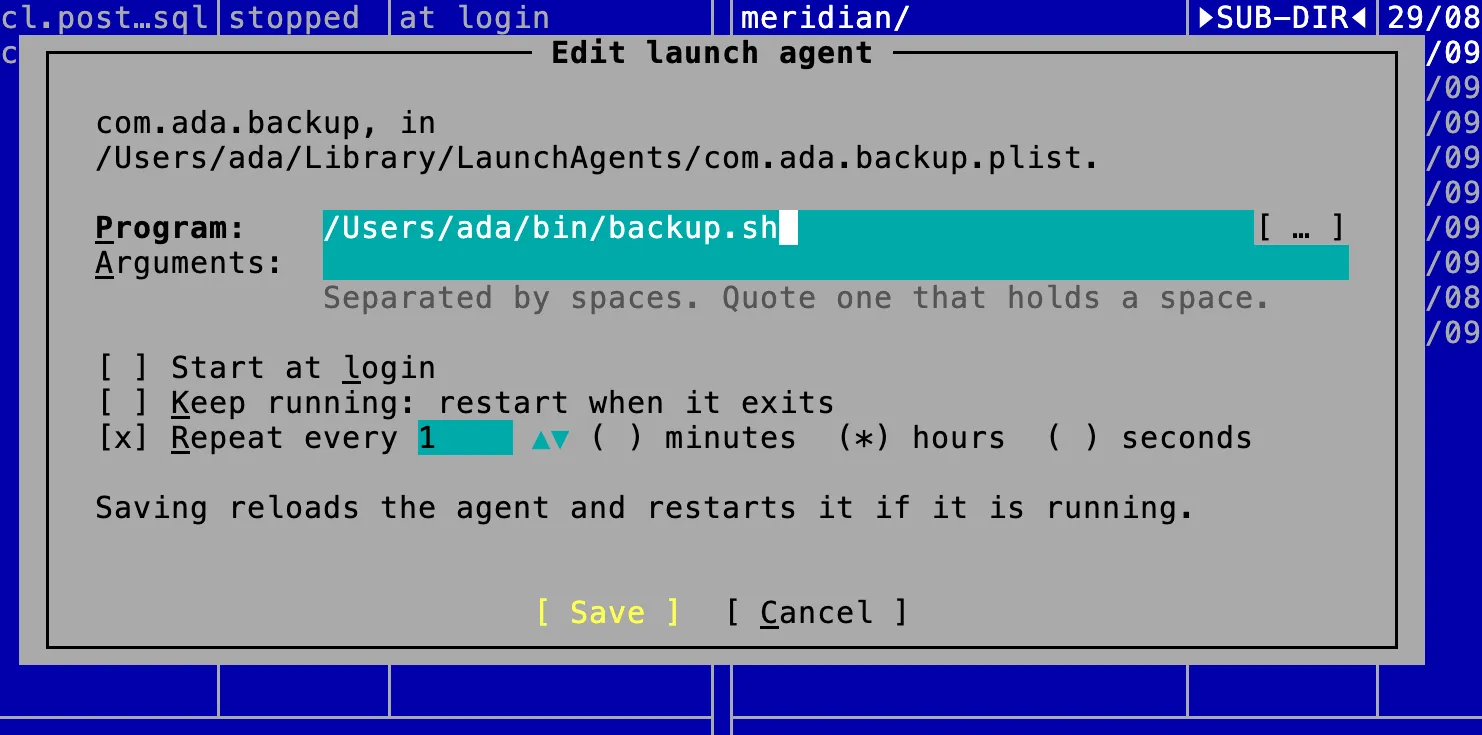
Change what starts by itself
Your launch agents and Homebrew services, running or not. F4 opens a form for the program, when it runs and whether it is kept running, and saving reloads it. No XML to write.
Ports
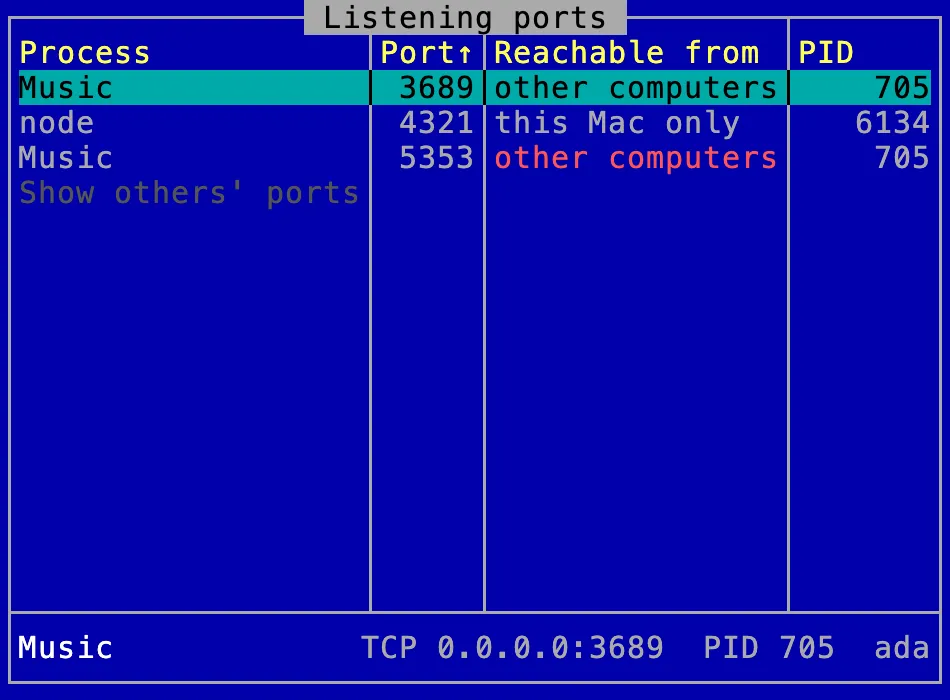
Who is listening
Every port something on your Mac listens on, the process holding it, and whether other computers can reach it.
More in the box
The small tools a file manager ought to have had all along.
For people who like to see exactly what's going on.

Retire a few utilities today.
Version 1.2.0 · universal · macOS 13 or later · about 70 MB